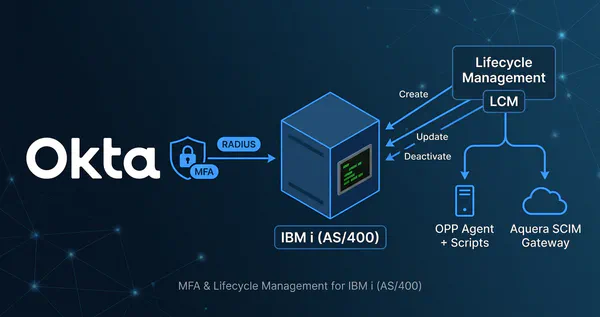

Securing Your Business-Critical Platforms #
Recently, while working with a prospect, a common but critical challenge came up: how to integrate their IBM i (AS/400) platform with Okta. Their top priority was to enforce modern Multi-Factor Authentication (MFA) to protect all access points, especially the 5250 “green screen” terminals that are central to their operations. This inquiry inspired me to do a deep-dive and outline the available strategies, which I’ll share in this post.
For decades, IBM i systems have been the silent workhorses powering core business operations for companies worldwide. While these platforms are renowned for their reliability and security, the broader security landscape has evolved dramatically. Today, protecting the invaluable data on these systems requires a modern, identity-first security approach.
Integrating a centralized Identity Provider (IdP) like Okta is crucial. It allows you to enforce consistent security policies, streamline user access, and gain visibility across your entire technology stack—from the newest cloud applications to your foundational IBM i platforms. This article explores how you can extend Okta’s powerful MFA and Lifecycle Management (LCM) capabilities to your IBM i environment.
Protecting the Terminal with MFA #
Protecting access to modern web-based applications with Okta is straightforward using standard protocols like SAML and OIDC. However, securing terminal access to IBM i systems, which rely on protocols like 5250, FTP, and Telnet, presents a unique challenge. These protocols lack the browser-based interaction needed for many modern MFA flows.
While web-based terminal emulators like Flynet Viewer™ or z/Scope Anywhere can be protected at the web application layer, securing native “green screen” terminal access requires a different approach.
The Precisely Assure Security Solution #
This is where a third-party solution like Precisely’s Assure Security comes into play. It acts as a bridge between the IBM i sign-on process and Okta. The integration works by intercepting the user login attempt on the IBM i system and using the Okta RADIUS Server Agent to trigger an MFA challenge.
The flow is as follows:
- A user attempts to log in to the IBM i system via a 5250 terminal.
- Precisely Assure Security, installed on the IBM i, intercepts the login.
- It sends a RADIUS authentication request to the Okta RADIUS Agent.
- The Okta RADIUS Agent communicates with the Okta cloud service to evaluate sign-on policies.
- Okta pushes an MFA challenge (e.g., Okta Verify Push, OTP) to the user’s device.
- The user approves the challenge.
- Okta sends an “Access-Accept” response back through the RADIUS agent to the Precisely solution.
- The user is granted access to the IBM i terminal.
sequenceDiagram
    actor User
    participant Terminal as 5250 Terminal
    participant IBMi as IBM i / Precisely
    participant RadiusAgent as Okta RADIUS Agent
    participant Okta as Okta Cloud

    User->>Terminal: 1. Enter Credentials
    Terminal->>IBMi: 2. Submit Login Request
    IBMi->>IBMi: 3. Precisely Intercepts Login
    IBMi->>RadiusAgent: 4. RADIUS Access-Request
    RadiusAgent->>Okta: 5. Forward Auth Request
    Okta-->>User: 6. Push MFA Challenge
    User-->>Okta: 7. Approve MFA
    Okta-->>RadiusAgent: 8. RADIUS Access-Accept
    RadiusAgent-->>IBMi: 9. Forward Access-Accept
    IBMi-->>Terminal: 10. Grant Access
How Precisely Intercepts the Login Process #
A key strength of the Precisely solution is its ability to integrate without requiring any changes to your existing IBM i applications or the operating system’s core sign-on programs.
-
Non-Invasive Interception: Precisely Assure Security uses IBM i’s native “Exit Point” architecture. Exit points are essentially hooks provided by the operating system that allow a third-party program to be called before or after a specific system event—in this case, the sign-on event. When a user attempts to log in, the exit point program intercepts the request and redirects it to the Assure Security engine for MFA validation before the operating system processes the password. This is seamless to the end-user and requires no modification of legacy code.
-
Rules-Based Step-Up MFA: Security shouldn’t be all-or-nothing. Precisely’s official documentation highlights its ability to “invoke rules-based multi-factor authentication only for users or specific situations that require it”. This granular control ensures that you can strengthen security where it matters most without adding unnecessary friction to all user logins. This means you can implement intelligent, risk-based MFA. For example, you can configure rules to:
- Always require MFA for powerful “privileged user” profiles.
- Only trigger an MFA challenge when a standard user attempts to access a highly sensitive application or execute a specific, powerful command.
- Bypass MFA for low-risk users or during certain times of the day.
Configuration Example #
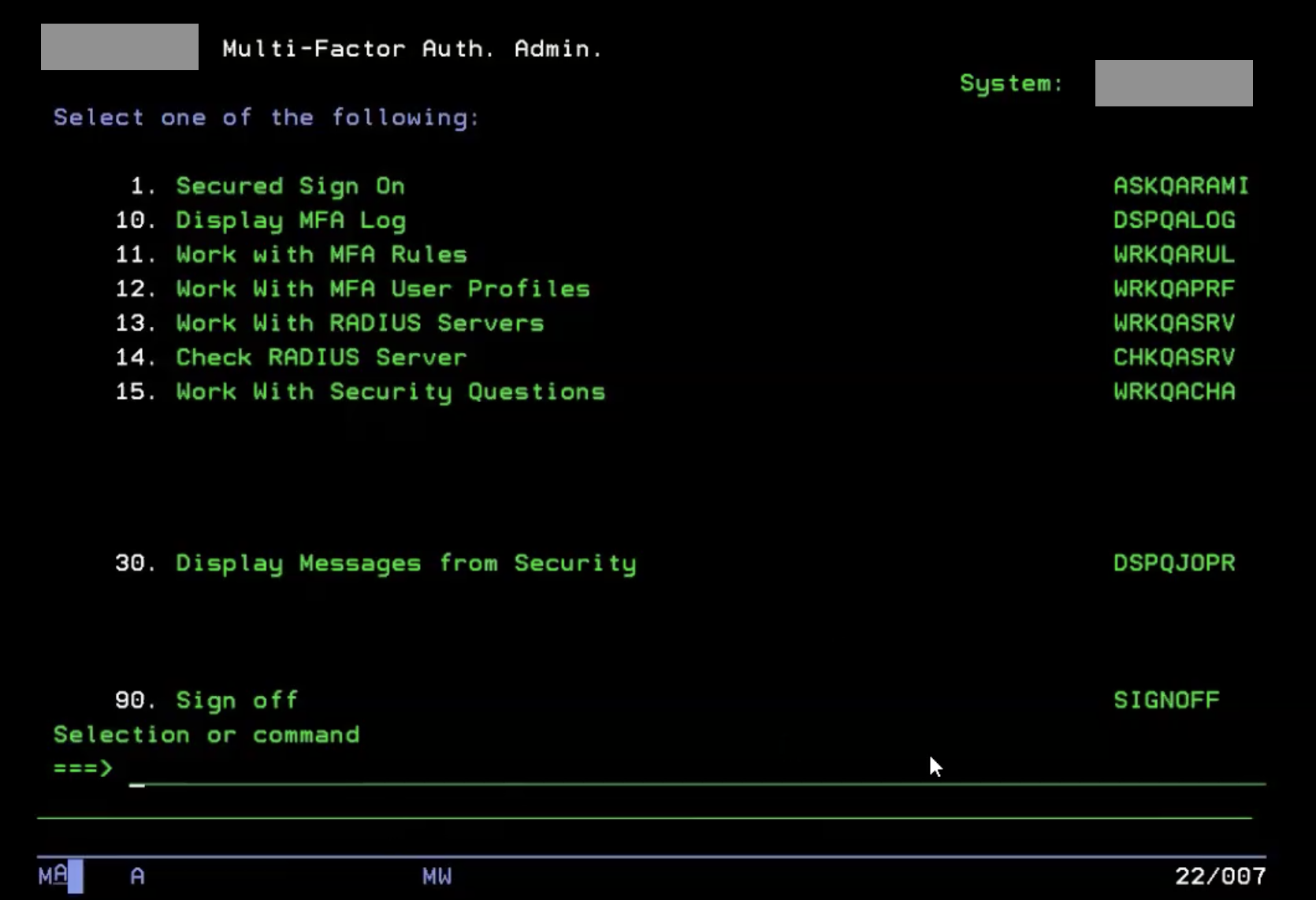
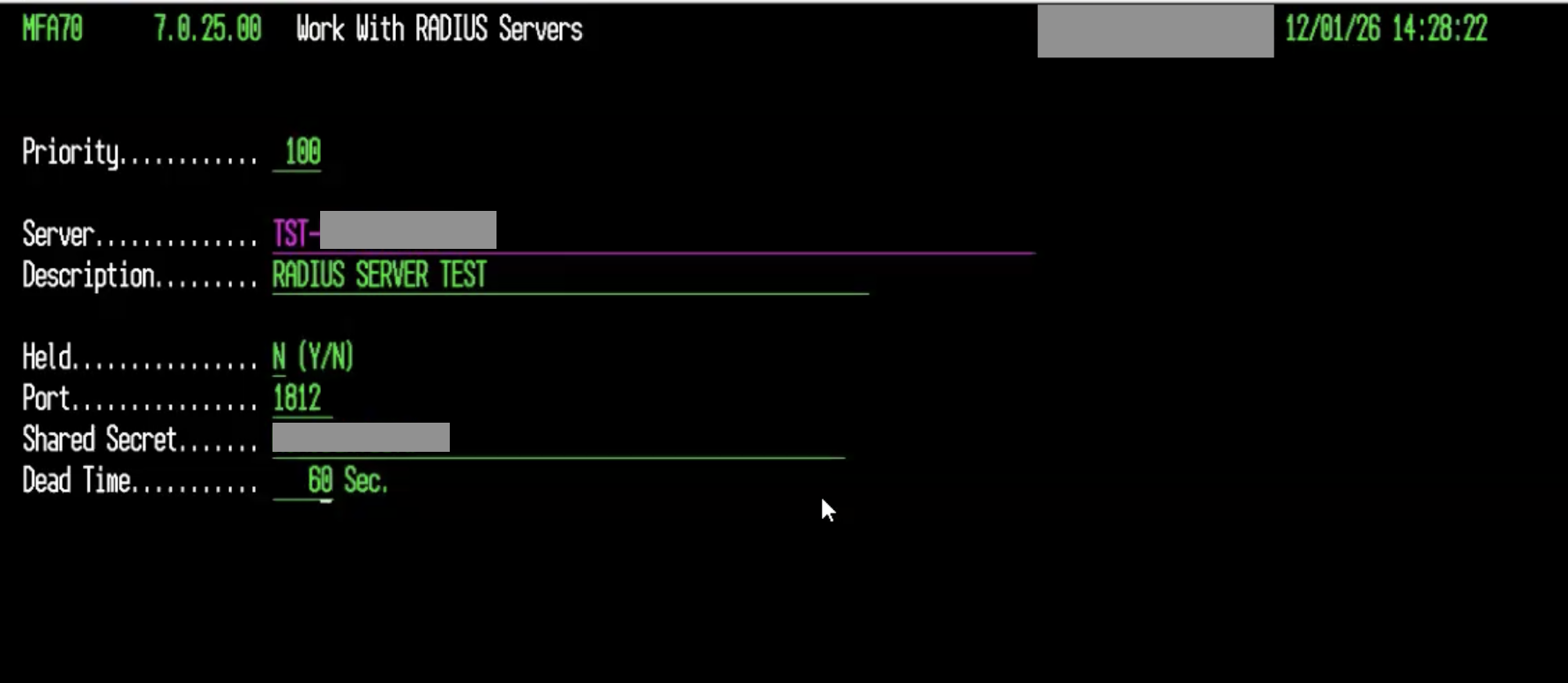
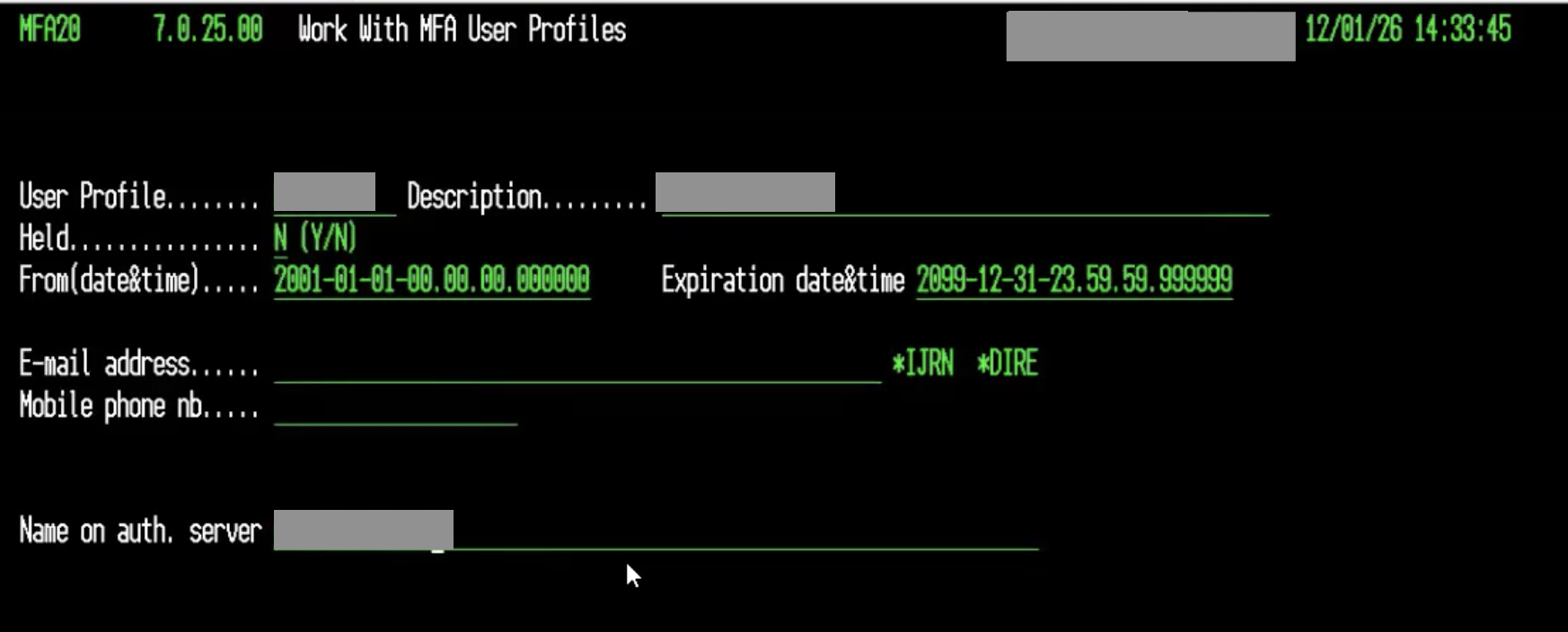
Configuring the Precisely solution involves registering the Okta RADIUS server within the Assure MFA administration menu on the IBM i. This screen requires key details to establish a secure connection.
The key fields for configuration are:
- Priority: Determines the order of servers for high availability.
- Server: The hostname or IP address of your Okta RADIUS Agent.
- Port: The UDP port for RADIUS communication, typically
1812. - Description: A friendly name for the server entry.
- Held: Must be set to
N(No) for the server to be active. - Server Secret: The shared secret key configured in the Okta RADIUS App.
- Dead Time: A timeout value before considering a server non-responsive.
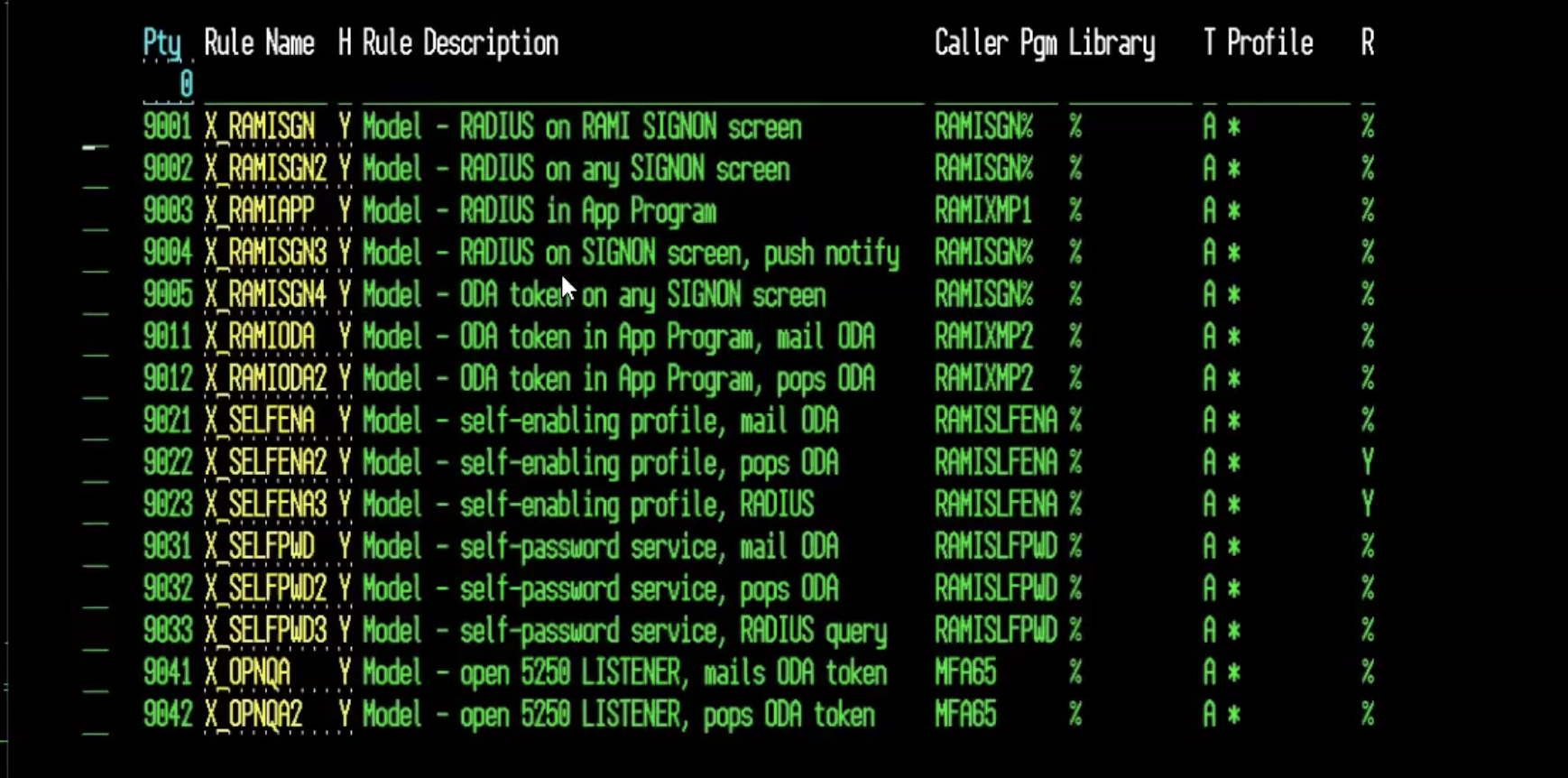
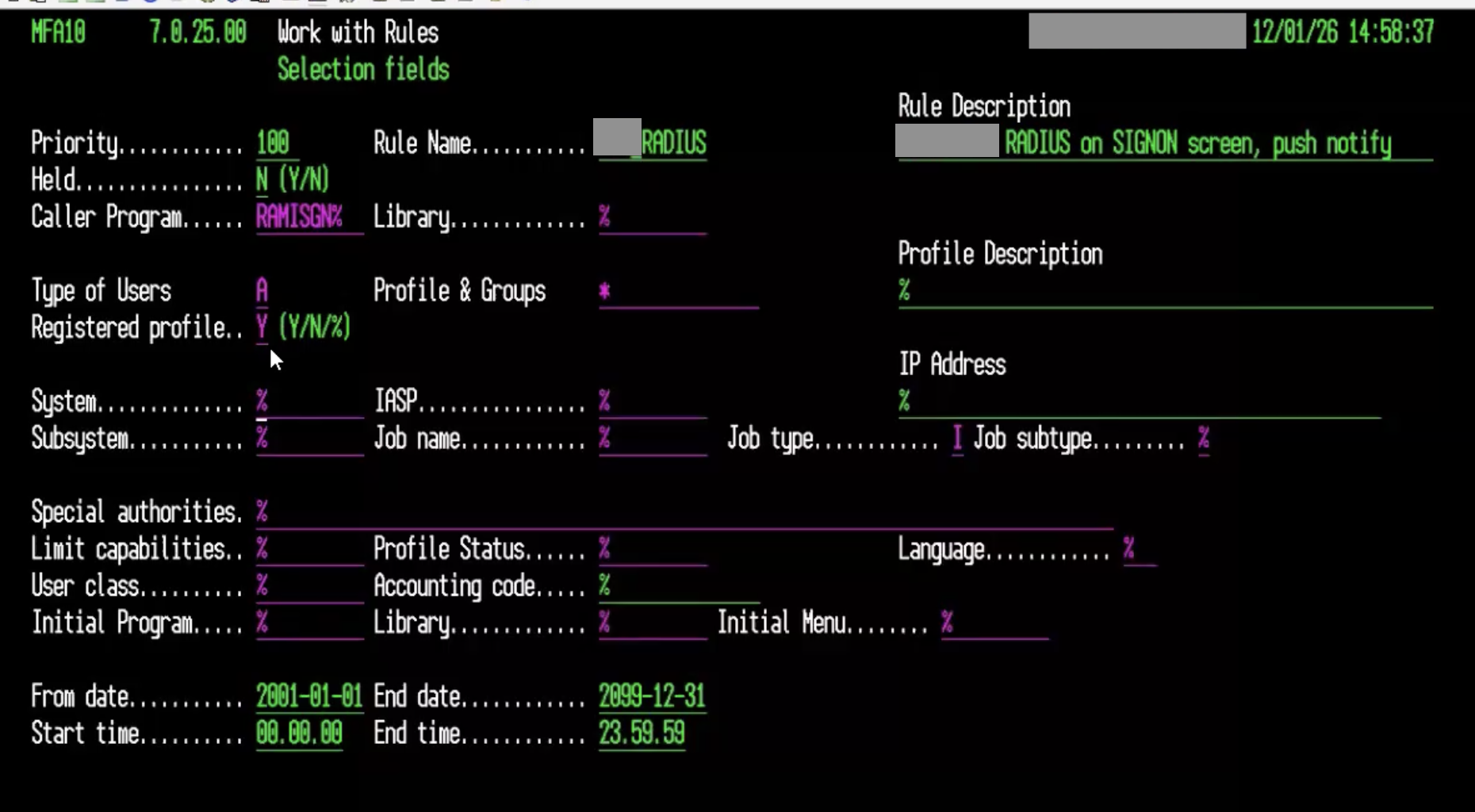
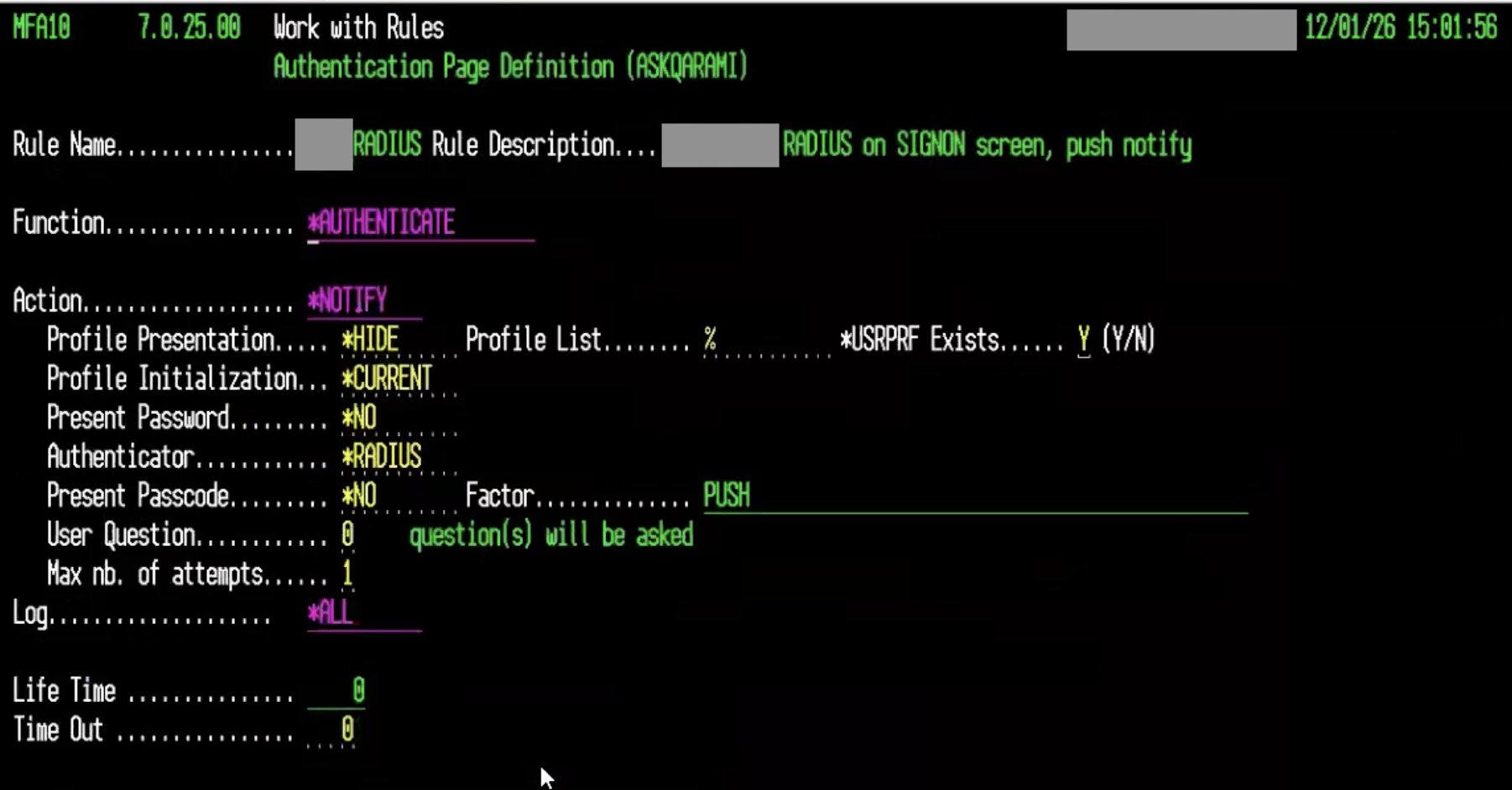
Following are some screenshots illustrating the configuration process:
A Note on Licensing
While we are not discussing specific pricing, it’s useful to understand the licensing model for such solutions. Typically, licensing for security software on IBM i is tied to the underlying hardware configuration, such as the number of processor cores or Logical Partitions (LPARs) where the software is active. For detailed information, it is always best to consult directly with the solution provider.
Limitations of the RADIUS Protocol #
While RADIUS is a powerful and universal protocol, it has limitations in the context of modern authentication:
- No Browser-Based Flows: Since terminal access is not browser-based, you cannot leverage phishing-resistant authenticators like FIDO2/WebAuthn or experience frictionless authentication like Okta FastPass.
- Limited User Experience: The MFA interaction is typically limited to push notifications or entering a one-time passcode. Richer interactions, like number challenges in Okta Verify, are not supported.
Despite these limitations, using RADIUS is a highly effective and widely adopted method for adding a critical layer of security to non-web systems.
Alternatives #
Precisely Assure Security is not the only solution available for integrating Okta MFA with IBM i systems. While during my test with Precisely I found the setup straightforward and well-documented, other vendors can be considered. For example:
While I have not personally tested these alternatives, they may offer similar capabilities for integrating Okta MFA via RADIUS or other methods. When evaluating options, consider factors such as ease of integration, support for your specific IBM i version, and the ability to implement rules-based MFA.
Lifecycle Management (LCM) #
Beyond authentication, managing the JML (Joiner, Mover, Leaver) user lifecycle on IBM i systems is critical for security and operational efficiency. Automating provisioning and de-provisioning ensures that access is granted promptly and, more importantly, revoked immediately when a user leaves the organization.
Okta’s standard for automation is the System for Cross-domain Identity Management (SCIM) protocol. However, IBM i does not natively support SCIM. To bridge this gap, there are two primary approaches.
Option 1: Okta On-Premises Provisioning (OPP) Agent with Custom Scripts #
For organizations willing to handle this completely autonomously, the Okta On-Premises Provisioning (OPP) Agent offers a flexible, custom-tailored solution.
How it works:
- You install the lightweight OPP agent on a Linux or Windows server in your network.
- You build a custom SCIM connector, which consists of a set of PowerShell scripts that the agent executes.
- These scripts are responsible for translating Okta’s SCIM commands (like
CreateUser,UpdateUser,DeactivateUser) into native IBM i commands. This could involve using scripts (such as PowerShell, Bash, Python, etc.) to make SSH connections to the IBM i and run CL (Control Language) commands, or calling specific APIs if available.
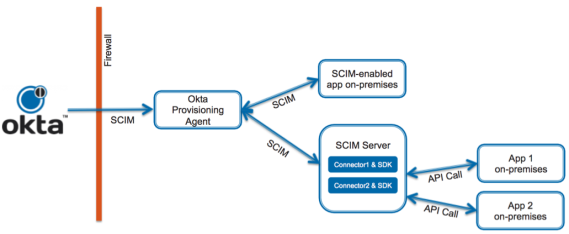
This approach gives you complete control over the integration logic but requires development and maintenance effort.
Okta only supports on-premises provisioning where Okta Professional Services or a Certified Partner performed the implementation.
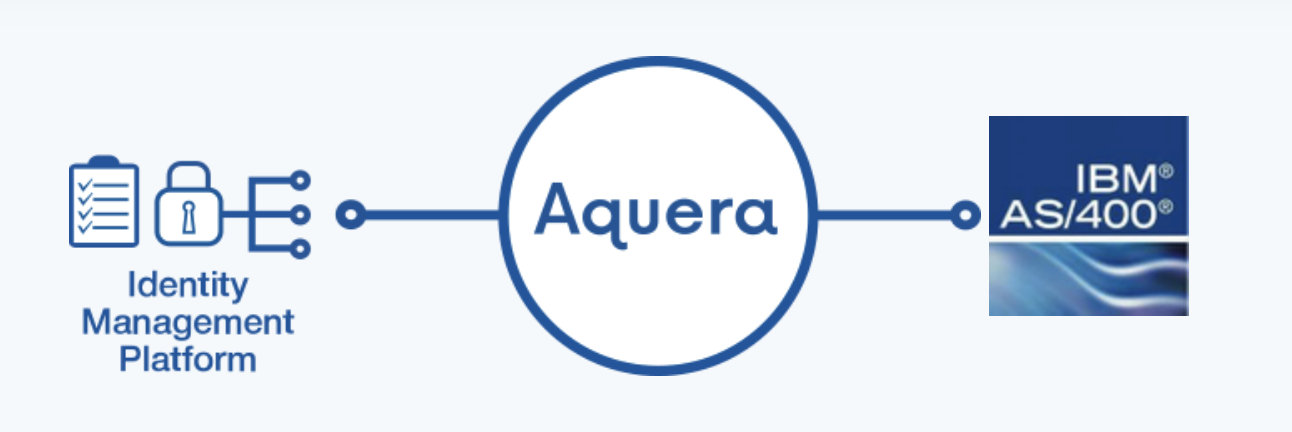
Option 2: A SaaS-Based SCIM Gateway like Aquera #
For a faster, out-of-the-box solution, you can use a third-party SCIM gateway like Aquera.
How it works: Aquera is a SaaS platform that specializes in connecting IdPs like Okta to applications and systems that don’t support modern protocols. It acts as a managed SCIM translator:
- Okta communicates with the Aquera platform via a standard SCIM connection.
- Aquera translates Okta’s SCIM commands into the native APIs and commands that the IBM i system understands.
- The result is a seamless, pre-built integration that enables full lifecycle management without the need for custom development.
This approach significantly reduces implementation time and effort, making it ideal for organizations that prefer a managed solution.
Entitlements and Governance #
Regardless of the approach you choose, a robust LCM integration extends to managing entitlements. By mapping Okta groups to specific roles or profiles on the IBM i, you can automate access to necessary libraries, objects, and functions.
This integration is a cornerstone of modern identity governance. With a solution like Okta Identity Governance (OIG), you can run access certification campaigns where reviewers can approve or revoke access to IBM i resources directly from the Okta interface, creating a complete and auditable governance trail.
Aquera support automatically the entitlements management as part of their SCIM gateway offering. While with OPP, you need to build the logic to handle entitlements in your custom scripts.
Option 3: Provisioning via the Okta LDAP Agent #
For organizations that want to leverage existing LDAP infrastructure, there is a third, more theoretical path for provisioning: using the Okta LDAP Agent. This approach is possible because IBM i includes a built-in Directory Server that can be configured to expose its native user database (*USRPRF) as an LDAP directory.
However, this method comes with significant caveats and complexities that make it less common in practice.
How it Works #
The conceptual flow is as follows:
- Okta Trigger: A user is assigned the IBM i group in Okta.
- LDAP Agent: The Okta LDAP Agent, installed on a server in your network, receives the provisioning command from the Okta cloud service.
- LDAP Provisioning: The agent sends standard LDAP commands (e.g.,
add,modify) to the IBM i Directory Server endpoint. - IBM i Backend: The IBM i system, through its directory server, interprets the LDAP command and creates a corresponding user profile on the system.
The Challenge: Rich Profiles vs. Basic LDAP #
You might think that since Okta allows for custom LDAP attribute mapping, you could simply extend the schema to manage all the necessary IBM i settings. However, the limitations are not about mapping attributes, but about the fundamental nature of the operations required to manage a true IBM i User Profile.
The Okta LDAP Agent is designed to manage standard LDAP attributes like uid, cn, and userPassword. While it can successfully create a basic user on the IBM i, a native User Profile (*USRPRF) requires a rich set of specific security parameters that have no equivalent in a standard LDAP schema.
These critical attributes, which the LDAP agent cannot manage out-of-the-box, include:
- Special Authorities: Permissions like
*ALLOBJ(all object access) or*SECADM(security administrator) - Initial Program/Menu: The first screen a user sees after logging in
- Library List: The specific libraries and data a user can access
- Job Description: Defines how batch jobs are run under the user’s profile
- Object Ownership and countless other security-relevant settings
To bridge this gap, you would need to supplement the LDAP provisioning with custom Control Language (CL) scripts on the IBM i host. These scripts would need to be triggered after the user is created via LDAP to apply the necessary security settings, turning this into a complex, hybrid solution that requires significant custom development and maintenance, much like the custom scripting required for the OPP agent in Option 1.
| Limitation | Explanation |
|---|---|
| Command Execution vs. Data Writing | The core issue is that creating a secure IBM i user is a command execution (CRTUSRPRF - Create User Profile) with dozens of parameters, not a simple data-writing operation. LDAP’s add operation is a data protocol. The IBM i Directory Server’s translation layer is not designed to handle the complex, procedural logic of the CRTUSRPRF command, which might involve creating objects or checking system states. |
| Complex Lifecycle Logic | Lifecycle management isn’t just about creation. When a user’s role changes, you need to execute a CHGUSRPRF (Change User Profile) command, often with specific parameters. You cannot simply “map” an Okta attribute update to trigger the correct IBM i command on the backend. An update to an LDAP attribute does not translate into the execution of a privileged command. |
| Lack of Transactional Integrity | The native CRTUSRPRF command is atomic—it either succeeds completely or fails and rolls back, leaving the system clean. An LDAP-based approach relies on multiple, non-atomic attribute writes. If the uid is written but a subsequent write for a critical security attribute fails, you could be left with a partially configured, insecure “zombie” user profile, which is a significant security risk and administrative burden. |
| No Official Support | This is not a standard, documented, or supported integration pattern from either Okta or IBM. You would be operating in uncharted territory, effectively reverse-engineering the behavior of the IBM i Directory Server’s backend. This makes it unacceptably risky for a production enterprise environment as there would be no support path when issues inevitably arise. |
In essence, while the LDAP agent can create a basic user “shell,” it cannot safely manage the rich security context of a true IBM i User Profile. The extensive custom scripting and backend logic required to overcome these limitations ultimately make this approach as complex as using the Okta OPP Agent (Option 1), but with significantly higher risk and no official support.
Conclusions #
Your IBM i systems are too critical to be left out of your modern identity security strategy. While they may not speak the same language as your cloud applications, proven solutions exist to bridge the gap.
By leveraging Precisely Assure Security with the Okta RADIUS Agent, you can extend strong Multi-Factor Authentication to every corner of your IBM i environment. For lifecycle management, you have the flexibility to either build a custom solution with the Okta OPP Agent or accelerate your deployment with a pre-built SCIM gateway like Aquera.
Integrating these foundational platforms with Okta not only modernizes their security but also provides a unified, consistent, and auditable identity fabric across your entire organization.
Disclaimer
I work with Okta as a Solutions Engineer. The third-party solutions mentioned in this article (Precisely, Aquera, Raz-Lee, Midland) are not affiliated with me or Okta. They’re presented as potential solutions to evaluate based on your organization’s specific needs, technical requirements, and business context. Always conduct your own due diligence and testing before making integration decisions.
What’s your experience with IBM i security and identity management? Have you integrated your legacy systems with modern IAM platforms? Share your thoughts, questions, or feedback in the comments below! 👇