
Introduction #
You’ve deployed the Okta Generic Database Connector and configured provisioning workflows, but have you ever wondered what happens behind the scenes? How does the SCIM Server translate those high-level provisioning requests from Okta into actual database operations? What REST endpoints does it expose, and how does the authentication actually work?
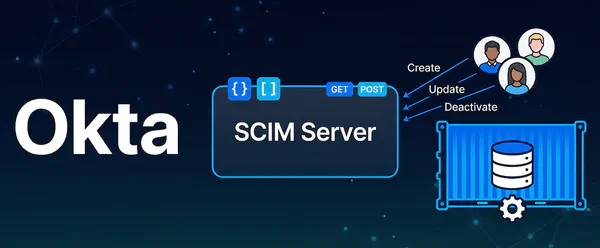
This article provides a technical deep dive into the Okta On-Prem SCIM Server—the critical component that sits between the Okta Provisioning Agent and your database, translating SCIM protocol calls into JDBC operations. Through reverse engineering and analysis of the SCIM Server JAR file, we’ll explore its internal architecture, REST controllers, authentication mechanisms, and the mysterious X-OKTA-ONPREM-DATA header that makes multi-tenancy possible.
Why This Matters:
Understanding the SCIM Server’s internals helps you:
- Troubleshoot issues more effectively by knowing exactly where requests flow
- Optimize performance by understanding connection pooling and configuration
- Debug provisioning failures by interpreting log patterns and error messages
- Appreciate the architecture of Okta’s on-premises provisioning solution
IMPORTANT DISCLAIMER: This document is NOT official Okta documentation.
The information in this article has been obtained through reverse engineering and analysis of the Okta On-Prem SCIM Server JAR file. The content is provided for educational and learning purposes only.
-
No Official Documentation: Okta does not publish official API documentation or technical specifications for the On-Prem SCIM Server’s internal workings.
-
Unsupported Use: The ONLY officially supported way to use the Okta On-Prem SCIM Server is:
- Through the Okta Provisioning Agent (OPP Agent)
- Via configuration in the Okta Admin Console
- Following official Okta documentation and guidelines
-
Direct API Access Not Supported: Directly calling the SCIM Server APIs documented here is not supported by Okta and should only be done for:
- Educational purposes
- Testing and debugging in lab environments
- Understanding the system architecture
- Troubleshooting with Okta Support guidance
-
Use at Your Own Risk: Any use of this information outside of the officially supported methods is at your own risk and may:
- Void support agreements
- Cause unexpected behavior
- Break with future updates
- Introduce security vulnerabilities
Official Documentation: #
Always refer to official Okta documentation:
By reading this article, you acknowledge that this information is for learning purposes only and that you will use the Okta On-Prem SCIM Server only through officially supported methods in production environments.
Overview #
The Okta On-Prem SCIM Server is a Spring Boot 3.5.0 application that implements the SCIM 2.0 protocol for provisioning users, groups, and entitlements to on-premises databases. It acts as a bridge between Okta’s cloud, the On-Premise Provisioning (OPP) Agent, and your local database infrastructure.
Key Characteristics #
- Application Type: Spring Boot 3.5.0 JAR (executable with embedded Tomcat)
- Main Class:
com.okta.server.scim.ScimServerApplication - Launcher:
org.springframework.boot.loader.launch.JarLauncher(Spring Boot fat JAR) - JAR Location:
data/okta-scim/conf/OktaOnPremScimServer-<version>.jar - Default Port:
1443(HTTPS) - Base Context Path:
/ws/rest - Protocol: HTTPS only (TLS 1.2, TLS 1.3)
Architecture #
Application Stack #
The SCIM Server is built on a modern Spring Boot stack with embedded Tomcat, JDBC connectivity, and REST controllers that implement the SCIM 2.0 specification.
flowchart TB
 subgraph SCIM["Okta On-Prem SCIM Server"]
    direction TB
        E["Spring Boot 3.5.0"]
        F["Embedded Tomcat 10.x
- HTTPS/TLS
- Port 1443"]
        H["JDBC Connector:
- HikariCP Pool
- Stored Proc Executor"]
        G["REST Controllers:
- UserController
- GroupController
- EntitlementController
- StatusController"]
  end
 subgraph DB["Database"]
    direction TB
        I["Table USERS
Table ENTITLEMENTS
Table USERENTITLEMENTS
Stored Procedures"]
  end
    E -.->|manages| F & H & G
    OC["Okta Cloud"] -- HTTPS --> OPP["Okta Provisioning Agent"]
    SCIM -- JDBC Connection --> DB
    OPP -- "HTTPS + Bearer Token +
X-OKTA-ONPREM-DATA header" --> SCIM

    style OC fill:#e1f5ff
    style OPP fill:#fff4e6
    style SCIM fill:#e8f5e9
    style DB fill:#fce4ec
Core Components #
1. Embedded Tomcat Server #
- Version: Apache Tomcat 10.x
- Protocol: HTTPS with NIO connector
- Bundled with: Spring Boot 3.5.0
- Port: 1443 (configurable)
- TLS Support: TLS 1.2 and TLS 1.3
The embedded Tomcat server handles all HTTPS connections, TLS handshakes, and HTTP request processing. Since it uses self-signed certificates by default, you’ll see TLS handshake warnings in logs—this is expected behavior.
2. REST Controllers #
Located in BOOT-INF/classes/com/okta/server/scim/controller/:
| Controller | Purpose | Base Path |
|---|---|---|
UserController.java |
User CRUD operations | /{app}/scim/v2/Users |
GroupController.java |
Group operations (not used for Database Connector) | /{app}/scim/v2/Groups |
EntitlementController.java |
Entitlement management | /{app}/scim/v2/Entitlements |
StatusController.java |
Health check | /{app}/scim/v2/Status |
ServiceProviderConfigController.java |
SCIM capabilities | /{app}/scim/v2/ServiceProviderConfig |
SchemaImportController.java |
SCIM schema definitions | /{app}/scim/v2/Schemas |
ResourceTypeController.java |
SCIM resource types | /{app}/scim/v2/ResourceTypes |
ScimExceptionHandler.java |
Global exception handling | N/A |
These controllers implement the SCIM 2.0 REST API specification, handling JSON payloads and translating them into database operations.
3. JDBC Connector #
Located in BOOT-INF/classes/com/okta/server/scim/connector/jdbc/:
- DataSource Management: HikariCP connection pooling
- Executor: Stored procedure and SQL queries execution engine
- Service Layer: Workflow orchestration for SCIM operations
- Configuration: Dynamic connector configuration via properties
The JDBC connector is responsible for all database interactions, managing connection pools, executing stored procedures, and handling transaction boundaries.
4. Security Layer #
Located in BOOT-INF/classes/com/okta/server/scim/security/:
- Bearer Token Authentication: Simple token-based auth
- SSL/TLS: Server-side certificate authentication
- No mTLS: Client certificate authentication disabled (
server.ssl.client-auth=NONE)
The security layer validates the Authorization header on every request and enforces HTTPS-only communication.
Authentication #
Bearer Token Authentication #
The SCIM server uses Bearer token authentication for all SCIM API requests. This is a simple but effective authentication mechanism that requires each request to include a valid bearer token in the Authorization header.
Configuration of the Token #
Bearer token is configured in the properties file:
File: data/okta-scim/conf/config-{CUSTOMER_ID}.properties
scim.security.bearer.token=d5307740c879491cedecf70c2225776bThis token is auto-generated during first startup by the RPM installer (or in the Docker Compose lab, the Docker entrypoint script).
Usage #
Header Format:
Authorization: Bearer <token>Example:
curl -k -H "Authorization: Bearer d5307740c879491cedecf70c2225776b" \
  https://localhost:1443/ws/rest/jdbc_on_prem/scim/v2/Status
Important Notes #
- Case Sensitive: The word
Bearermust be capitalized - Space Required: There must be exactly one space between
Bearerand the token - Length: 32 characters (hex string)
- Rotation: To change the token, modify the properties file and restart the SCIM server. You will also need to update the configuration of the Generic Database Connector Application in Okta
SCIM Endpoints #
Endpoint URL Pattern #
All SCIM endpoints follow this pattern:
https://{host}:{port}/ws/rest/{app}/scim/v2/{resource}Where:
{host}: SCIM server hostname (e.g.,okta-scimorlocalhost){port}: SCIM server port (default:1443){app}: Application/connector name (e.g.,jdbc_on_prem){resource}: SCIM resource type (Users,Entitlements, etc.)
User Operations #
Base Path: {app}/scim/v2/Users
List Users #
GET /{app}/scim/v2/Users?startIndex=1&count=100
Authorization: Bearer {token}
X-OKTA-ONPREM-DATA: {base64_encoded_config}
Query Parameters:
startIndex(optional): Starting index for pagination (1-based)count(optional): Number of results to returnfilter(optional): SCIM filter expression
Response: SCIM ListResponse with user resources
Get User by ID #
GET /{app}/scim/v2/Users/{userId}
Authorization: Bearer {token}
X-OKTA-ONPREM-DATA: {base64_encoded_config}
Path Parameters:
{userId}: User identifier (typically email or username)
Response: SCIM User resource
Create User #
POST /{app}/scim/v2/Users
Authorization: Bearer {token}
X-OKTA-ONPREM-DATA: {base64_encoded_config}
Content-Type: application/json

{
  "schemas": ["urn:ietf:params:scim:schemas:core:2.0:User"],
  "userName": "john.doe",
  "name": {
    "givenName": "John",
    "familyName": "Doe"
  },
  "emails": [
    {
      "value": "john.doe@example.com",
      "primary": true
    }
  ],
  "active": true
}Response: 201 Created with SCIM User resource
Update User #
PUT /{app}/scim/v2/Users/{userId}
Authorization: Bearer {token}
X-OKTA-ONPREM-DATA: {base64_encoded_config}
Content-Type: application/json

{
  "schemas": ["urn:ietf:params:scim:schemas:core:2.0:User"],
  "id": "{userId}",
  "userName": "john.doe",
  "name": {
    "givenName": "John",
    "familyName": "Doe"
  },
  "active": false
}Response: 200 OK with updated SCIM User resource
Entitlement Operations #
Base Path: {app}/scim/v2/Entitlements
List Entitlements #
GET /{app}/scim/v2/Entitlements
Authorization: Bearer {token}
X-OKTA-ONPREM-DATA: {base64_encoded_config}Response: SCIM ListResponse with entitlement resources
Get Entitlement by ID #
GET /{app}/scim/v2/Entitlements/{id}
Authorization: Bearer {token}
X-OKTA-ONPREM-DATA: {base64_encoded_config}Response: SCIM Entitlement resource
SCIM Metadata Endpoints #
These endpoints provide metadata about the SCIM server’s capabilities, schemas, and supported resource types.
Service Provider Configuration #
GET /{app}/scim/v2/ServiceProviderConfig
Authorization: Bearer {token}
X-OKTA-ONPREM-DATA: {base64_encoded_config}
Returns SCIM server capabilities (supported operations, bulk operations, filtering, etc.)
Schemas #
GET /{app}/scim/v2/Schemas
Authorization: Bearer {token}
X-OKTA-ONPREM-DATA: {base64_encoded_config}
Returns SCIM schema definitions for User, Group, and custom resources.
Resource Types #
GET /{app}/scim/v2/ResourceTypes
Authorization: Bearer {token}
X-OKTA-ONPREM-DATA: {base64_encoded_config}
Returns available SCIM resource types (User, Group, Entitlement).
Health Check #
Status Endpoint #
The Status endpoint is the only endpoint that does NOT require the X-OKTA-ONPREM-DATA header. It’s designed for health checks and monitoring systems.
Endpoint: {app}/scim/v2/Status
Method: GET
Authentication: Bearer token only
Example:
curl -k -H "Authorization: Bearer d5307740c879491cedecf70c2225776b" \
  https://localhost:1443/ws/rest/jdbc_on_prem/scim/v2/Status
Success Response:
HTTP/1.1 200 OK
Content-Type: text/plain;charset=UTF-8
Content-Length: 27

✅ Scim Server is running.
Use Cases:
- Docker health checks (
HEALTHCHECKdirective) - Monitoring systems (Nagios, Prometheus, Zabbix, etc.)
- Load balancer health checks
- Startup validation scripts
This simple endpoint confirms the SCIM server is running and accepting HTTPS connections. It doesn’t validate database connectivity—it only confirms the web server is operational.
X-OKTA-ONPREM-DATA Header #
Purpose #
The X-OKTA-ONPREM-DATA header is a custom HTTP header that contains the connector configuration required for SCIM operations. It’s automatically added by the Okta Provisioning Agent when forwarding requests to the SCIM server.
This header is what enables a single SCIM Server to manage multiple database systems simultaneously—each request carries its own configuration payload.
Contents #
The header contains a Base64-encoded JSON payload with:
- Database connection details: JDBC URL, username, password
- Stored procedure mappings: Which stored procedures to call for each SCIM operation
- Attribute mappings: How SCIM attributes map to database columns/parameters
- Connector metadata: Connector type, version, configuration version
Why It’s Required #
- Multi-tenancy: The SCIM server can serve multiple connectors simultaneously
- Dynamic Configuration: Each request includes its own configuration, allowing runtime changes
- Security: Configuration is passed per-request rather than stored on the SCIM server
- Flexibility: Different Okta apps can use different database configurations
This architecture means you can have one SCIM server managing up to 8 different databases, each with its own connection details, stored procedures, and attribute mappings—all determined dynamically by the header content.
Flow Diagram #
The following diagram illustrates how the X-OKTA-ONPREM-DATA header flows through the provisioning request lifecycle:
sequenceDiagram
    participant OC as Okta Cloud
    participant OPP as Okta Provisioning Agent
    participant SCIM as Okta On-Prem
SCIM Server
    participant DB as On-prem
Database

    Note over OC: 1. User creates
provisioning request

    OC->>OPP: 2. Send request to Agent

    Note over OPP: 3. Retrieves
DB config and Bearer Token
from Okta
    Note over OPP: 4. Encodes config
as Base64
    Note over OPP: 5. Adds headers:
'X-OKTA-ONPREM-DATA'
and 'Authorization'

    OPP->>SCIM: 6. Forward to SCIM Server
(HTTPS + headers)

    Note over SCIM: 7. Check Authorization Token
    Note over SCIM: 8. Decode headers
    Note over SCIM: 9. Extract from DB config:
- JDBC URL
- Credentials
- Stored procs
    Note over SCIM: 10. Execute operation

    SCIM->>DB: 11. JDBC call

    Note over DB: 12. Execute Stored Procedure

    DB-->>SCIM: Result
    SCIM-->>OPP: SCIM Response
    OPP-->>OC: Provisioning Result
Error Response #
If the header is missing, the SCIM server returns:
{
  "schemas": ["urn:ietf:params:scim:api:messages:2.0:Error"],
  "scimType": "MISSING_ATTRIBUTE",
  "detail": "Missing X-OKTA-ONPREM-DATA header",
  "status": 400
}
HTTP Status: 400 Bad Request
Testing Without Agent #
For development and debugging, you can manually construct the header:
# Example connector config (JSON)
CONFIG='{
  "jdbcUrl": "jdbc:mysql://db:3306/oktademo",
  "username": "oktademo",
  "password": "oktademo",
  "procedures": {
    "listUsers": "GET_ACTIVEUSERS",
    "getUser": "GET_USER_BY_ID",
    "createUser": "CREATE_USER",
    "updateUser": "UPDATE_USER"
  }
}'

# Base64 encode
ENCODED=$(echo -n "$CONFIG" | base64)

# Make request with header
curl -k \
  -H "Authorization: Bearer d5307740c879491cedecf70c2225776b" \
  -H "X-OKTA-ONPREM-DATA: $ENCODED" \
https://localhost:1443/ws/rest/jdbc_on_prem/scim/v2/UsersConfiguration #
Configuration Files #
All configuration is stored in: data/okta-scim/conf/
1. Application Properties #
File: config-{CUSTOMER_ID}.properties
# HTTPS Configuration
server.port=1443
server.servlet.context-path=/ws/rest
server.ssl.enabled=true

# SSL/TLS Certificate
server.ssl.key-store-type=PKCS12
server.ssl.key-store=/etc/pki/tls/private/OktaOnPremScimServer-{CUSTOMER_ID}.p12
server.ssl.key-store-password={auto_generated}
server.ssl.key-alias=okscimservercert

# TLS Protocols
server.ssl.enabled-protocols=TLSv1.2,TLSv1.3

# Client Authentication (disabled)
server.ssl.client-auth=NONE

# Request Size
server.max-http-request-header-size=10KB

# Bearer Token Authentication
scim.security.bearer.token={auto_generated}

# HikariCP Database Connection Pool
app.datasource.hikari.maximumPoolSize=10
app.datasource.hikari.minimumIdle=0
app.datasource.hikari.connectionTimeout=30000
app.datasource.hikari.validationTimeout=3000
app.datasource.hikari.idleTimeout=90000
app.datasource.hikari.keepaliveTime=60000
app.datasource.hikari.maxLifetime=180000
app.datasource.hikari.initializationFailTimeout=0

# Logging Configuration
logging.level.root=INFO
logging.level.org.springframework.web=WARN
logging.level.org.apache.catalina=WARN
logging.level.com.okta.server.scim=INFO
logging.level.org.springframework.jdbc=INFO

logging.pattern.file=%d{yyyy-MM-dd'T'HH:mm:ss.SSSXXX}  [pid:${PID:-unknown}] [%thread] %class{36}:%line - %msg%n
logging.pattern.console=1
2. Customer ID Configuration #
File: customer-id.conf
CUSTOMER_ID=myorgUsed to namespace configuration and certificates for multi-instance deployments.
3. JVM Configuration #
File: jvm.conf
JAVA_OPTS="-Xmx2048m -Xms1024m -XX:+UseG1GC -XX:MaxGCPauseMillis=200"Java memory and garbage collection settings.
Certificate Files #
Stored in: data/okta-scim/certs/
Auto-Generated Certificates #
The entrypoint script automatically generates:
-
Public Certificate:
OktaOnPremScimServer-{CUSTOMER_ID}.crt- 4096-bit RSA
- 10-year validity
- Self-signed
- Format: PEM (X.509)
-
Private Key:
OktaOnPremScimServer-{CUSTOMER_ID}.key- RSA private key
- Format: PEM (PKCS#8)
-
PKCS12 Keystore:
OktaOnPremScimServer-{CUSTOMER_ID}.p12- Contains certificate + private key
- Password: Auto-generated (stored in properties file)
- Alias:
okscimservercert
Logging and Debugging #
Log Files #
Location: /var/log/OktaOnPremScimServer/ (mapped to data/okta-scim/logs/ on host in Docker Compose setup)
Files:
application.log- Main application log
Log Levels #
Configured in config-{CUSTOMER_ID}.properties:
logging.level.root=INFO
logging.level.org.springframework.web=WARN           # HTTP requests/responses
logging.level.org.apache.catalina=WARN               # Tomcat server
logging.level.org.apache.coyote=WARN                 # HTTP connector
logging.level.org.apache.tomcat=WARN                 # Tomcat internals
logging.level.com.zaxxer.hikari=WARN                 # Connection pool
logging.level.com.okta.server.scim=INFO              # SCIM operations
logging.level.org.springframework.jdbc=INFO          # JDBC operations
Available Levels: TRACE, DEBUG, INFO, WARN, ERROR, FATAL, OFF
Log Format #
File Pattern:
%d{yyyy-MM-dd'T'HH:mm:ss.SSSXXX} [pid:${PID:-unknown}] [%thread] %class{36}:%line - %msg%nExample:
2026-02-17T11:54:32.123+00:00 [pid:42] [https-jsse-nio-1443-exec-1] c.o.s.s.controller.UserController:87 - Creating user: john.doe@example.comDebugging SCIM Operations #
Enable detailed JDBC logging to see SQL queries:
logging.level.org.springframework.jdbc.core=TRACEThis logs:
- SQL statements before execution
- Parameter values
- Result sets
- Transaction boundaries
Common Log Patterns #
TLS Handshake Failures:
Handshake failed for client connection from IP address [192.168.65.1]Cause: Client doesn’t trust the self-signed certificate (expected behavior)
Missing Header:
Missing X-OKTA-ONPREM-DATA headerCause: Direct API call without Okta Provisioning Agent
JDBC Connection Issues:
HikariPool - Exception during pool initializationCause: Database not reachable or credentials incorrect
Stored Procedure Errors:
CallableStatementCallback; ERROR 1305 (42000): PROCEDURE oktademo.CREATE_USER does not existCause: Stored procedure not created in database
Database Connectivity #
Connection Pooling #
The SCIM server uses HikariCP for database connection pooling:
app.datasource.hikari.maximumPoolSize=10              # Max connections
app.datasource.hikari.minimumIdle=0                   # Min idle connections
app.datasource.hikari.connectionTimeout=30000         # 30 seconds
app.datasource.hikari.validationTimeout=3000          # 3 seconds
app.datasource.hikari.idleTimeout=90000               # 90 seconds
app.datasource.hikari.keepaliveTime=60000             # 60 seconds
app.datasource.hikari.maxLifetime=180000              # 180 seconds
app.datasource.hikari.initializationFailTimeout=0     # Fail immediately
HikariCP is known for being the fastest, most reliable connection pool for JDBC. The SCIM Server leverages it to maintain a pool of database connections that can be reused across requests, significantly improving performance.
JDBC Drivers #
Location: /opt/OktaOnPremScimServer/userlib/
Copied from: docker/okta-scim/packages/*.jar (in Docker Compose setup)
Supported Drivers:
- MySQL Connector/J:
mysql-connector-j-9.6.0.jar - PostgreSQL:
postgresql-*.jar - Oracle JDBC:
ojdbc*.jar - SQL Server:
mssql-jdbc-*.jar
Connection Configuration #
Database connection details are provided in the X-OKTA-ONPREM-DATA header on each request:
{
  "jdbcUrl": "jdbc:mysql://db:3306/oktademo",
  "username": "oktademo",
  "password": "oktademo",
  "driverClassName": "com.mysql.cj.jdbc.Driver"
}
This per-request configuration approach enables the multi-database capability—each request can target a different database by including different connection details in its header.
Conclusion #
Understanding the Okta On-Prem SCIM Server’s architecture and internals provides valuable insight into how modern provisioning solutions bridge cloud identity platforms with on-premises infrastructure. Through this reverse-engineered analysis, you now understand:
- The application stack: Spring Boot 3.5.0 with embedded Tomcat handling HTTPS on port 1443
- REST Controllers: How SCIM 2.0 operations map to Java controllers and ultimately database operations
- Authentication mechanisms: Bearer token validation and the role of the
X-OKTA-ONPREM-DATAheader - Connection pooling: HikariCP managing database connections efficiently
- Logging patterns: How to interpret logs for troubleshooting
- Multi-tenancy architecture: How one SCIM server handles multiple databases
While this knowledge is powerful for debugging, troubleshooting, and understanding your provisioning infrastructure, remember that the only supported way to interact with the SCIM Server in production is through the Okta Provisioning Agent and Admin Console. Direct API access should remain in the lab environment for educational exploration.
Next Steps #
- Implement the full lab environment: Follow the main Generic Database Connector guide to deploy your own test environment
- Monitor your SCIM Server: Set up logging and health checks based on the patterns discussed
- Optimize performance: Tune HikariCP connection pool settings for your workload
- Explore the JAR: Extract and examine the Spring Boot JAR structure yourself for deeper learning
Questions or want to explore more? Check out the GitHub repository for the complete lab environment and additional technical documentation.
Additional Resources #
Official Okta Documentation #
- Install the Okta On-prem SCIM Server
- On-premises Connector for Generic Databases
- Okta Lifecycle Management
SCIM Protocol Resources #
- SCIM 2.0 RFC 7644 - Official SCIM specification
- SCIM 2.0 Core Schema - User and Group schemas
- Okta SCIM Documentation - Okta’s SCIM implementation guide
Related Articles #
- On-premises Connector for Generic Databases with Docker Compose: A Complete Guide - Full deployment and configuration guide
Project Resources #
- GitHub Repository - Complete Docker Compose lab environment
- Okta SCIM Server Technical Documentation - Original reverse-engineered documentation
- Okta Provisioning Configuration Guide - Detailed Admin Console setup
Disclaimer #
This article contains technical information obtained through reverse engineering for educational purposes only. The content is provided “as is” without warranty of any kind. Always use official Okta documentation and support channels for production deployments.
Remember: Use the Okta On-Prem SCIM Server only through officially supported methods—the Okta Provisioning Agent and Okta Admin Console—in production environments.